The video editor built for
Raw Performance.

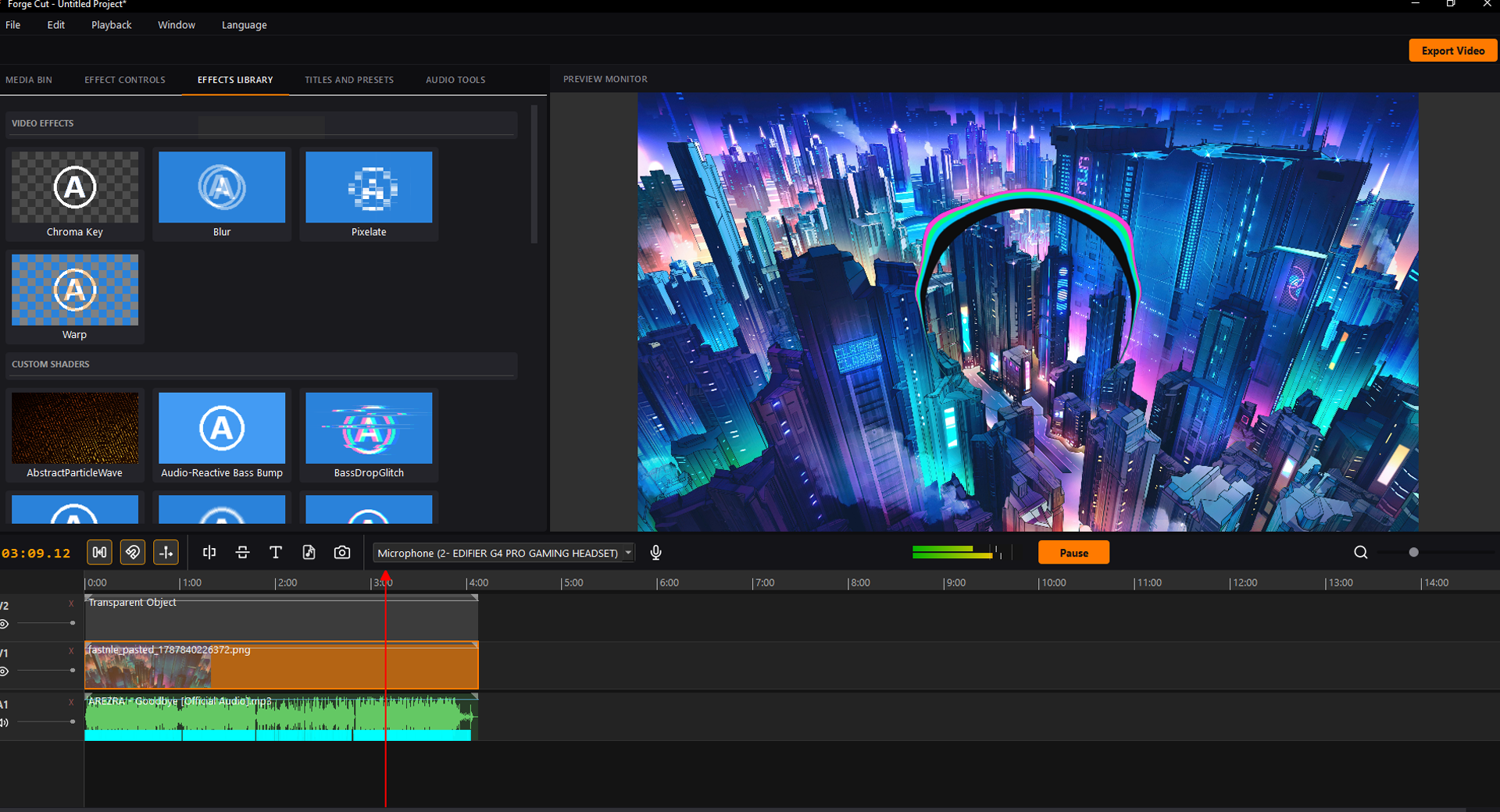
Written in C++ and OpenGL. Hardware accelerated scrubbing, native VST3 audio plugins, Whisper AI auto-subtitles, programmable GLSL shaders, and extensive format support including APNG and WebP animations.

ForgeCut Interface

Download Public Beta

ForgeCut v0.57.6 is currently in Public Beta. Choose your platform below to download the build.

* Windows SmartScreen may show a warning for this build because we are an indie team bootstrapping our code-signing certificate. Click "More Info -> Run Anyway" to test the engine.

* Linux users must extract the AppImage using --appimage-extract to add custom assets. See the User Guide for details.

Engine Features

Anti-Stutter Timeline

Zero-latency scrubbing. The engine dynamically drops frame rendering and pushes a draft firehose directly to the OpenGL canvas, keeping your mouse movements locked to the playhead.

Unrivaled Format Support

Drop in almost anything. Alongside standard MP4, MKV, and MOV files, ForgeCut natively supports modern web animation formats like APNG and animated WebP with full alpha transparency.

Native VST3 Routing

Say goodbye to destructive audio editing. ForgeCut hosts commercial VST3 plugins natively. Tweak EQ, Compression, and limiters live while the timeline plays.

Whisper AI Subtitles

Select any audio clip and auto-generate perfectly timed, stylized text overlays using the integrated local GGML Whisper engine. No cloud subscriptions required.

Programmable GLSL

Write your own transitions and visualizers using raw GLSL code. ForgeCut instantly parses your uniforms into animatable keyframe sliders directly in the UI.

HTML Motion Graphics

Embed full Chromium-based HTML/CSS/JS web templates directly over your video. Perfect for data-driven Twitch overlays, lower thirds, and complex animations.

HTML Template Guide: Audio Reactivity

ForgeCut uniquely supports transparent HTML overlays driven by a Chromium backend. Using the setWebParameters(jsonStr) JavaScript callback, your web templates receive live variables from the timeline, including real-time audio FFT data, EQ bands, and precise beat markers.

manifest.json
{
  "name": "Audio Reactive Pumper",
  "defaultDuration": 10,
  "parameters": [
    {
      "name": "CustomColor",
      "type": "color",
      "defaultColor": "#fd8e40"
    }
  ]
}
index.html
<!DOCTYPE html>
<html>
<head>
  <style>
    body { margin: 0; overflow: hidden; background: transparent; }
    .box {
      width: 100vw; height: 100vh;
      display: flex; align-items: center; justify-content: center;
    }
  </style>
</head>
<body>
  <div className="box" id="pulse">
    <h1 id="title" style="color: #fd8e40; font-size: 5rem;">PULSE</h1>
  </div>
  <script>
    function setWebParameters(jsonStr) {
      const data = JSON.parse(jsonStr);
      if (data.audioFFT) {
        const scale = 1 + data.audioFFT[0] * 0.5;
        document.getElementById('pulse').style.transform = `scale(${scale})`;
      }
    }
  </script>
</body>
</html>